From a pixel to a palette
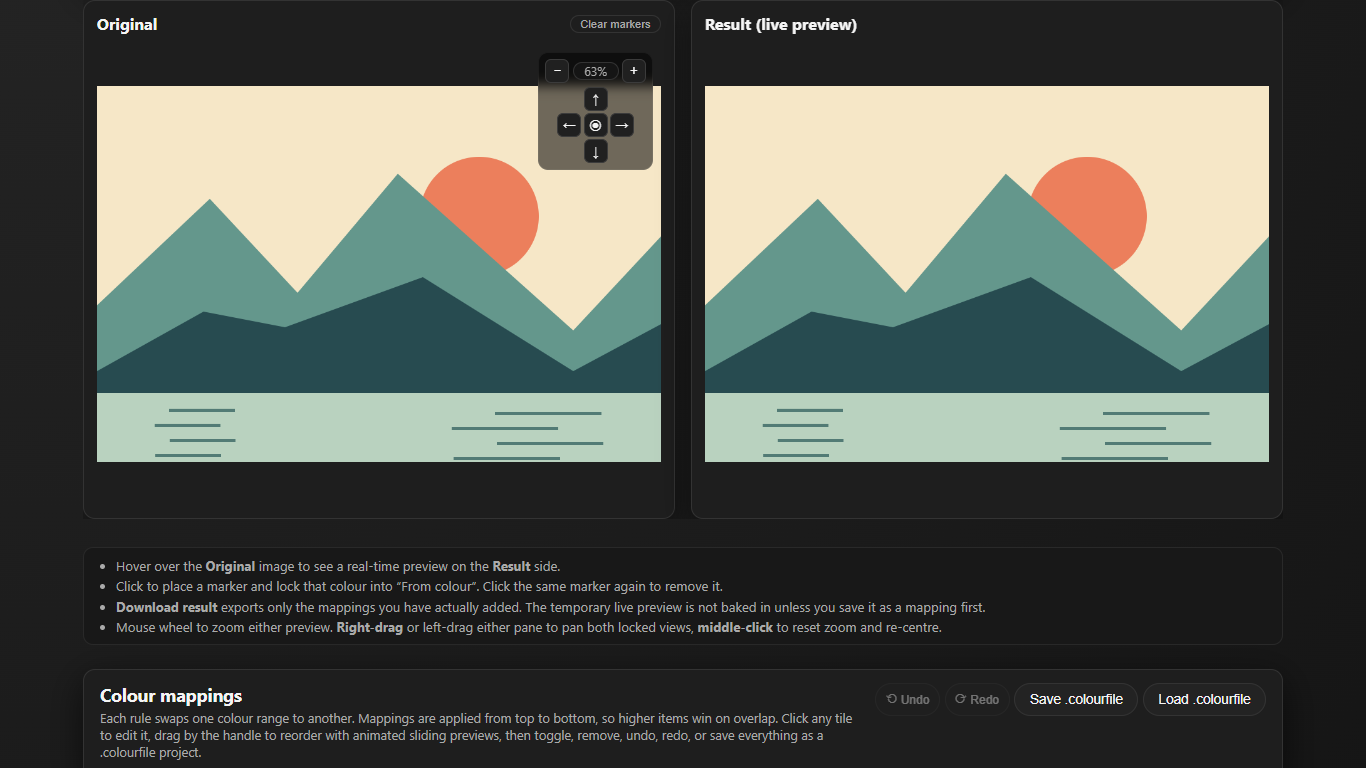
I built Colour Forge for the moment when an image is right but its palette needs adjusting. Open an image, pick a colour in the original and choose its replacement. The two previews stay aligned as you zoom and pan, so you can see which edges, highlights and shadows will change.
Controlling a colour change
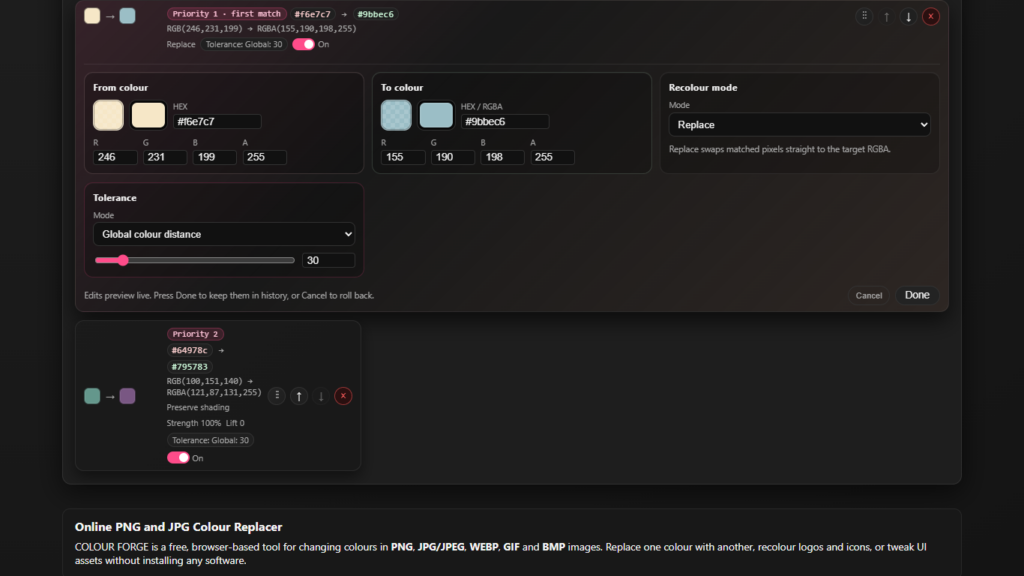
Each mapping has a tolerance and a recolouring mode. Replace gives matching pixels a specific colour. Blend tints the image, while Preserve shading carries the original variation in light and dark into the new colour. If two rules match the same pixel, their order decides which one wins.
Returning to a design
Save the source image and its mappings together as a .colourfile project, or reuse a mapping preset on another image. Undo and redo make it easy to compare adjustments before exporting. The browser processes the pixels locally, so the source image stays on your device.